
Enhance Photos
Simple AI Car Photo Editor for Background Replacement
Want to make your listings look more polished and eye-catching with little time and effort? Try the AI car photo editor from WowEnhance! It’s built to help dealers and private sellers replace car photo backgrounds and make their listing photos look consistent and professional.
Key Features:
- Batch editing – edit all your photos in the same style.
- A wide selection of ready-made backgrounds to choose from.
- User-friendly interface – get results in just a few clicks with no manual editing required.
- Natural-looking results – the tool preserves the car’s appearance while enhancing overall image quality and editing the background.
- Instant processing with no registration required.
- Free car background editing for up to 3 photos per day.
- Automatic license plate blurring when needed.
Get Your Car Listings Ready to Publish in Just a Few Clicks
Our app’s editor is simple and intuitive. All you need to do is upload all the necessary photos at once to our AI car photo editor and click Enhance Photo. The app automatically detects the vehicle in the image and accurately identifies its contours, including mirrors, antennas, and wheels.
Here’s what the car background editing tool can do:
- upscale your images to make them sharper and more detailed;
- clean up the background and remove unwanted objects;
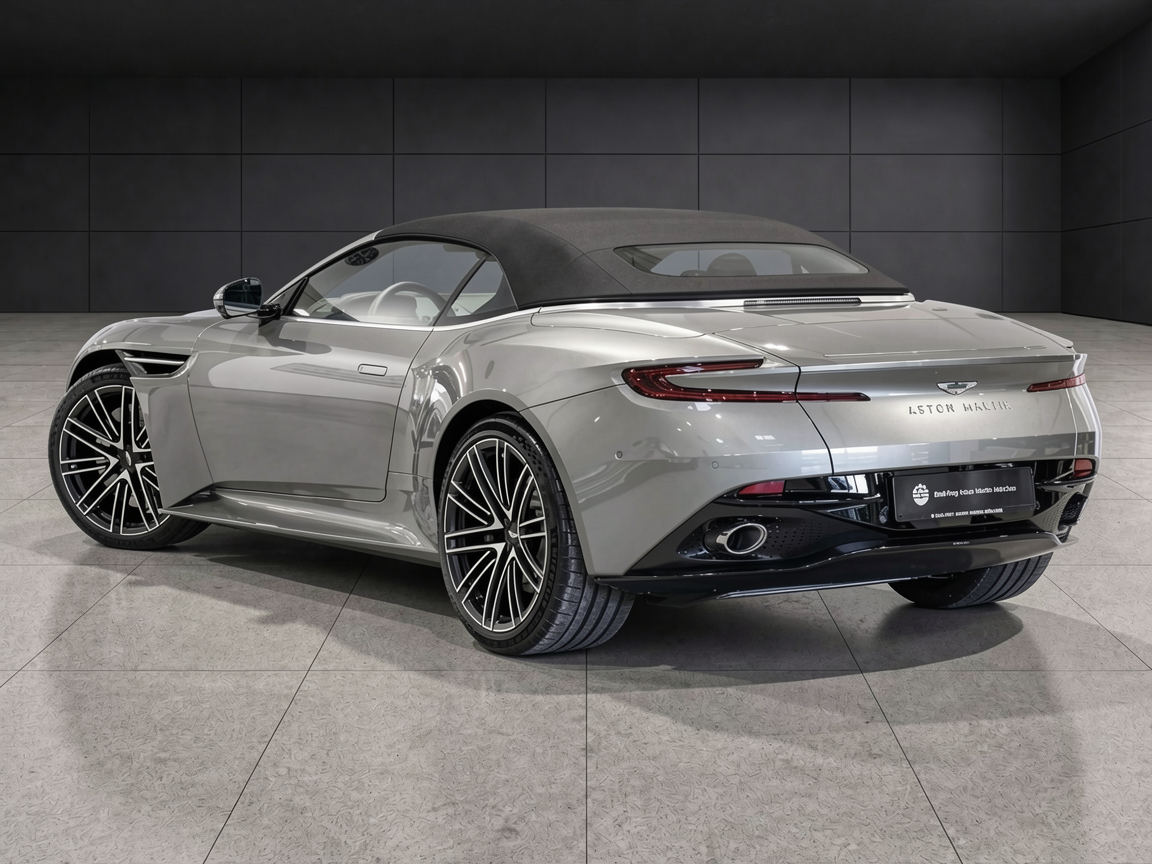
- replace the original background with a studio or showroom setup.
With WowEnhance you’ll be able to create completely new, unique, polished, and professional-looking photos.
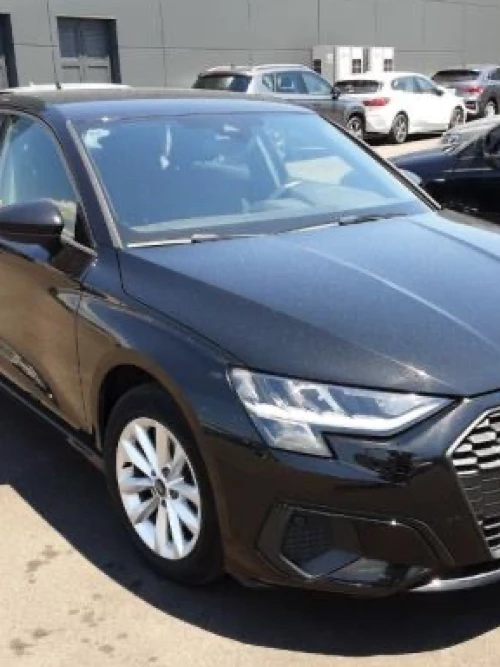
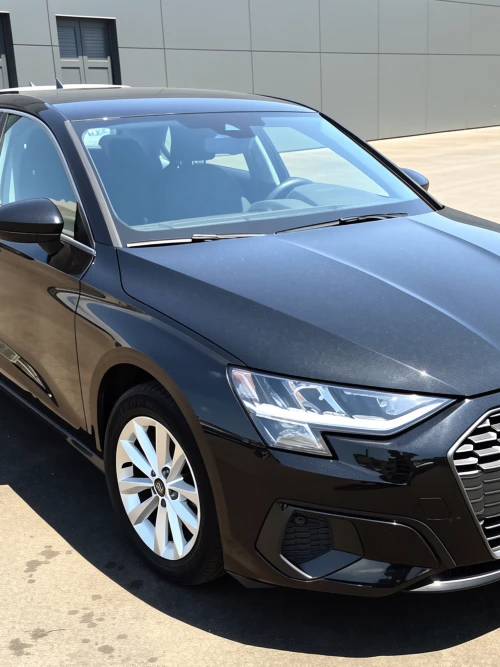
Enhance Your Car Photos While Preserving What Really Matters
Our online app fixes common issues, such as motion blur, out-of-focus shots, and low resolution while preserving the car’s appearance. As a result, you’ll get images that will present the vehicle to potential buyers in the best possible way.
Don’t worry about the edited photos looking fake or overly processed. The car background editing tool produces natural-looking images with realistic windows, reflections and shadows. It also keeps the edited photos as close to the original as possible - this way, they won’t give any false expectations to your customers.
Get Professional Car Photos Without Extra Costs
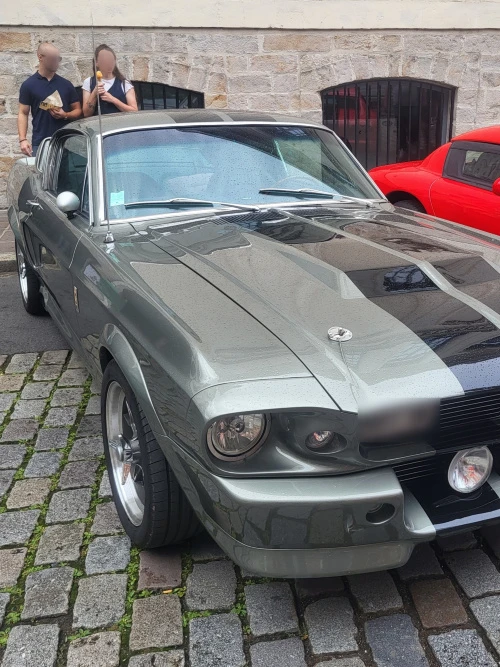
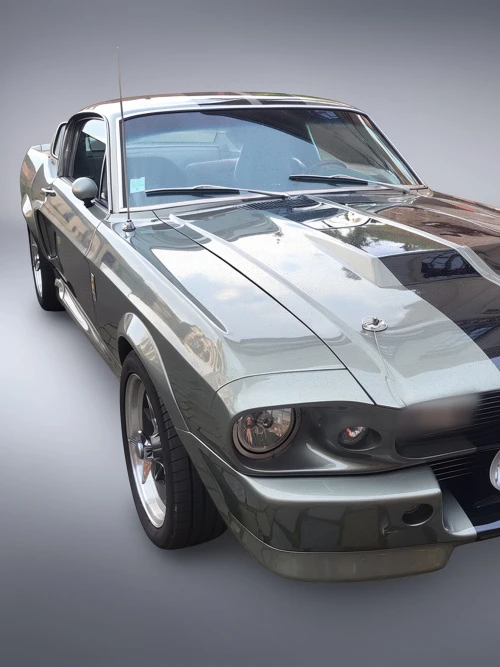
There’s no need to organize a professional photoshoot. You can take photos of a car in a parking lot, a driveway, or on the street. Don’t worry if other cars, people, or buildings are in the background. Then upload the photos to our app and use the Car Background Replacement feature. You’ll be able to adjust the lighting and put your car in a studio setup with neutral-colored walls.
You can get polished images that make a strong visual impression without actually renting a studio! There’s no need to hire a photographer, invest in expensive camera equipment, or search for the perfect location, either. Simply use the AI car photo editor from WowEnhance.
Keep Your Car Listings Visually Consistent
Our car background editing tool allows you to process a batch of images at once. Moreover, you can edit them in one and the same style. Consequently, your listings will showcase every vehicle with a polished, consistent look.
Here’s why visual consistency is important.
First and foremost, it demonstrates a professional approach to marketing and selling vehicles. Being professional is a great foundation for building customer trust, which is crucial in sales. Second, visual consistency boosts brand recognition by helping buyers associate a clean, distinct visual style with your dealership. Finally, with no distractions in the background, your customers can pay closer attention to the car’s condition, color, and features.
How to Edit a Background with WowEnhance’s AI Car Photo Editor
1. Upload One or More Images to the App
You can upload photos from your device, cloud storage, or a website. To get started, you don’t need to create an account or sign up for a newsletter. No other personal information is required.
Please note that the free version allows you to process only one photo at a time. Batch processing is available after purchasing credits.
Once you’ve uploaded all the necessary photos, click the Enhance Photo button at the top.
2. Choose What You Want to Do
You’ll see two options: Replace Background or Upscale Image. Select the one that best matches your needs.
If you want to edit the background, you can either clean up the original background by removing unwanted objects or replace it with a professional-looking one. The gallery features more than 10 backgrounds frequently used by car dealers.
If you need to hide license plates, as well, make sure to select the Blur License Plates option.
Finally, click Enhance Photo at the bottom to start processing.
3. Check the Result
Take a closer look at the changes in the image. Move the slider left and right to compare the before and after versions. The changes in the image resolution are shown, as well.
If needed, zoom in to inspect the vehicle more closely and make sure no important details have been removed or altered.
4. Download Your Images
Click the Download All button to save the edited copies to your device.
FAQ
What is an AI car photo editor?
An AI car photo editor is an online tool that enhances vehicle photos using artificial intelligence. In most cases, it can increase image resolution, fix poor lighting or blurriness, clean up the original background, or even replace it with a professional studio backdrop. Editing is mostly automated, so it’s much easier to work with large batches of images.
Can I use WowEnhance’s car background editing tool for free?
Yes, but keep in mind that the free version allows you to process 1 photo at a time and up to 3 photos per day. You can use our app without providing your email address or other personal information. The free version delivers the same output quality as the paid tier, making it ideal for testing the car photo editor before upgrading.
Do my photos need to be good before I process them in an car background replacement tool?
To a certain degree, yes. Whenever possible, take pictures of the vehicle when it is clean and in good daylight. If your initial images are good, the app will only need to replace the background. In other words, not a lot of processing will be needed to get listing-ready photos.
If the vehicle is dirty, poorly lit, or difficult to see clearly, the AI may have to make more extensive adjustments. This often leads to a less natural-looking result.
Can your AI car photo editor work with vehicle interior photos, too?
Yes, interior photos can also be edited. For example, distracting backgrounds visible through windows or unwanted reflections can be replaced with a cleaner, more neutral setting to keep the focus on the interior details.
Can I choose different backgrounds when using the car background replacement tool from WowEnhance?
You can choose only one background style per editing session for all uploaded photos. To compare different options, clear the current results, re-upload the images, and then select another background.
If you aren’t sure which background works best, apply different backgrounds to a single photo first. Once you find the option that you like, move on to editing the entire batch.