
Colorize B&W Photo
Colorize Black and White Photos for Free
Colorize black-and-white photos with WowEnhance. Process your images directly in your browser. No sign-up or personal information required.
Bring historical photographs back to life by adding realistic colors to archival images, old family portraits, and vintage photos. Get creative with AI colorization and transform any type of monochrome photo into a vibrant, lifelike image.
Key Features:
- Colorize a photo in just one click
- Get natural-looking results, as if the photo were originally taken in color
- Restore natural skin tones in portraits
- Review the changes before downloading
- Make your photos more detailed, vibrant, and emotionally engaging.
You can colorize up to 3 black and white images per day for free.
Colorize Black-and-White Photos in Just a Few Clicks
Colorizing black-and-white photos no longer has to be time-consuming or require professional tools and skills. Even if you’re a complete beginner and don’t have access to professional photo-editing software, you can still achieve impressive results with modern AI technology.
The entire process is automatic. Simply click Colorize Black and White Photo and let AI do the rest. No more manual editing or guessing which colors and shades will look best in different parts of your image.
With WowEnhance, you can add realistic color and depth to your photos in just a few minutes. And with additional credits, you can colorize multiple photos at once, making it even easier to process your entire collection.
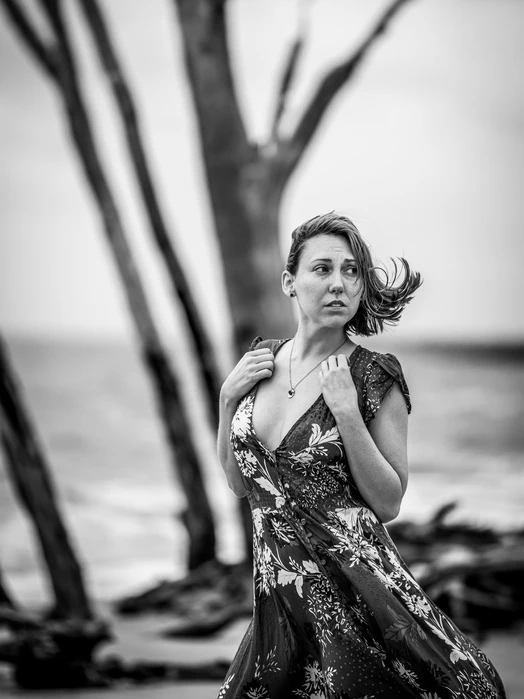
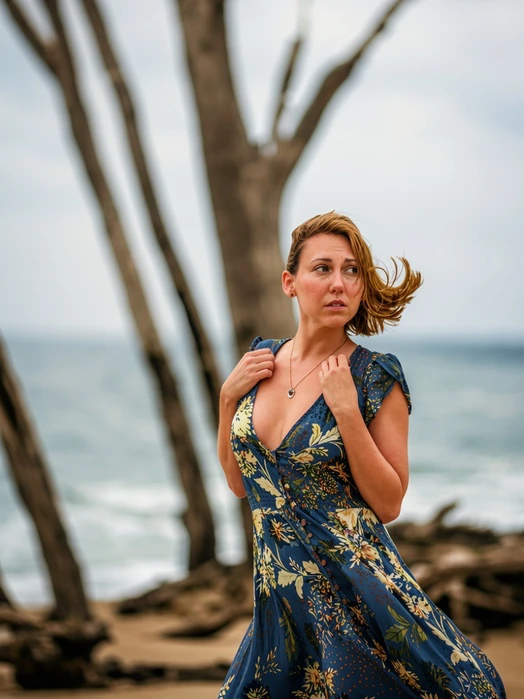
Restore Natural Colors with AI Precision
Once you upload a photo to the app, the AI algorithm carefully analyzes every element of the image, taking its historical context into account to select the most appropriate colors with a high degree of accuracy.
Special attention is given to creating realistic skin tones, preserving the texture of hair, defining folds in clothing, and accurately colorizing architectural details and interior elements.
The result is a colorized photo that looks as though it was originally captured in color rather than digitally restored.
Experience History in a Whole New Way
Colorizing black-and-white photos can make a wide range of historical images more engaging, from war and documentary photography to street scenes and landscapes from past eras. Adding color gives old photos a new sense of depth and expression, making historical events feel more immediate and relatable to modern viewers.
Color can also make it easier to notice subtle details, such as people in the background, their facial expressions, and objects in their surroundings. It helps convey the atmosphere of a scene more vividly, allowing you to feel more connected to the time and place captured in the photograph.
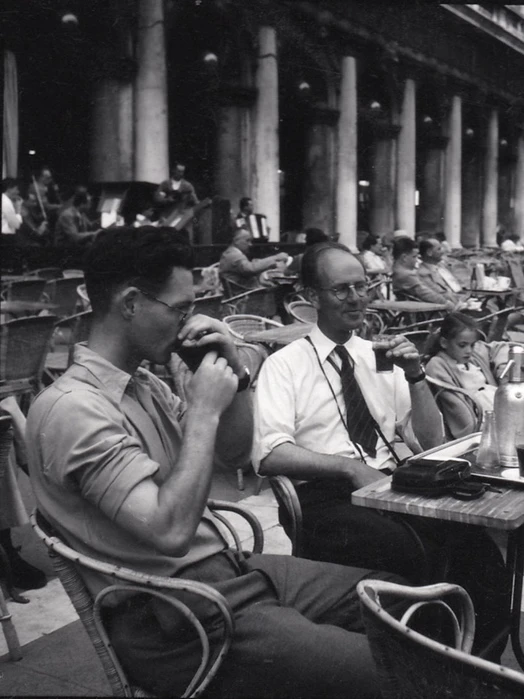
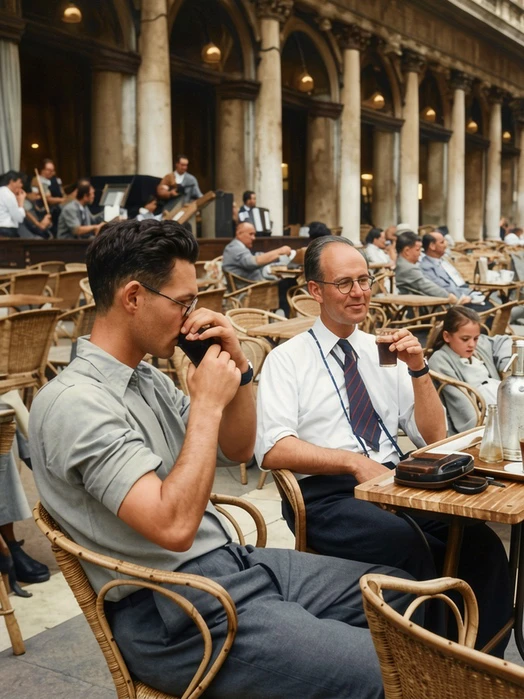
How to Colorize Black and White Photo in WowEnhance
- Go to WowEnhance.com > Tools > Colorize Photos.
- Upload a black and white photo from your computer, Google Drive, Google Photos, Dropbox or a webpage. The app supports JPG, JPEG, PNG, WebP, HEIC, BMP, AVIF and RAW formats. With a premium account, you can colorize up to 30 images in a single batch.
- Click Colorize Black and White Photo and wait for the app to finish processing your image. This may take a few minutes.
- Compare the results. Click More if you want to add a watermark or save your new photos to cloud storage.
- Click Download All to save all your colorized photos to your device.
FAQ
How to Colorize Black-and-White Photos?
The quickest and easiest way is to use an AI tool designed to colorize black-and-white photos. Unlike complex photo-editing software, these tools are often available for free and require no technical expertise, as the colorization process is fully automated. Many AI solutions also let you colorize multiple photos at once, significantly speeding up the editing process.
The main drawback is that you have limited control over the final result. If an AI colorizer doesn’t produce the desired outcome, your options for fine-tuning it may be limited, so you may need to try a different tool.
How Can I Colorize Black-and-White Photos for Free?
Try the Colorize Photos tool from WowEnhance. You can process one image at a time for free, with a daily limit of three black-and-white photos. There’s no need to create an account or make an upfront payment, so you can start colorizing your images right away.
The free version delivers the same high-quality results as the paid option, so you don’t have to compromise on image quality.
Does WowEnhance Improve Image Quality While Colorizing Black-and-White Photos?
Yes. Our AI photo colorization tool enhances the overall visual quality of your image while adding color. However, for the best results, we recommend starting with a high-resolution black-and-white photo that has good contrast and is free from major imperfections, such as scratches, creases, or torn edges.
This is because the tool is designed primarily to add color rather than restore old photos. If your historical image needs additional image enhancement, such as removing blur, grain, scratches, or other signs of wear and tear, we recommend using the Restore Old Photos tool instead.
What Can I Use Colorized Images For?
Adding color to black-and-white photos can serve both personal and creative purposes. For example, you can:
- Refresh treasured memories, including family portraits, yearbook pictures, wedding photos, and other keepsakes
- Give historical images greater visual impact and make scenes from the past feel more relatable to modern audiences
- Transform faded or monochrome pictures with a fresh, creative look.