
Restore Old Photo
Restore Old Photos Online for Free
Give your old photos a second life with WowEnhance’s free online tool. Powered by advanced AI technology, our app can improve the quality of your photos, making them clearer, sharper, and more vibrant.
It increases resolution and easily fixes common flaws like faded colors, grain, blur, torn edges, scratches, and creases. You can restore old photos in two ways: by preserving the original black-and-white look or by creating a colorized version.
Key Features:
- Restore old photos in just two clicks
- Process images in your browser without registering
- Upload up to 3 images per day for free
- Review the changes before downloading
- Colorize restored photos if necessary.
Automatic Old Photo Restoration with AI
Our AI old photo restoration app has a user-friendly, intuitive interface and requires no technical skills. The entire process is automated and takes only a few minutes. All you need to do is upload your image and click Restore Old Photo.
The app’s built-in AI analyzes your photo, detects imperfections, and instantly creates an improved version. Unlike complex photo editors, there’s no need to switch between multiple tools to remove scratches and dust, adjust colors, or reduce noise. Everything is handled automatically in a single step.
You’ll receive an enhanced, high-resolution image with facial features, hair and fabric textures, and other fine details carefully preserved, while staying as true to the original photo as possible.
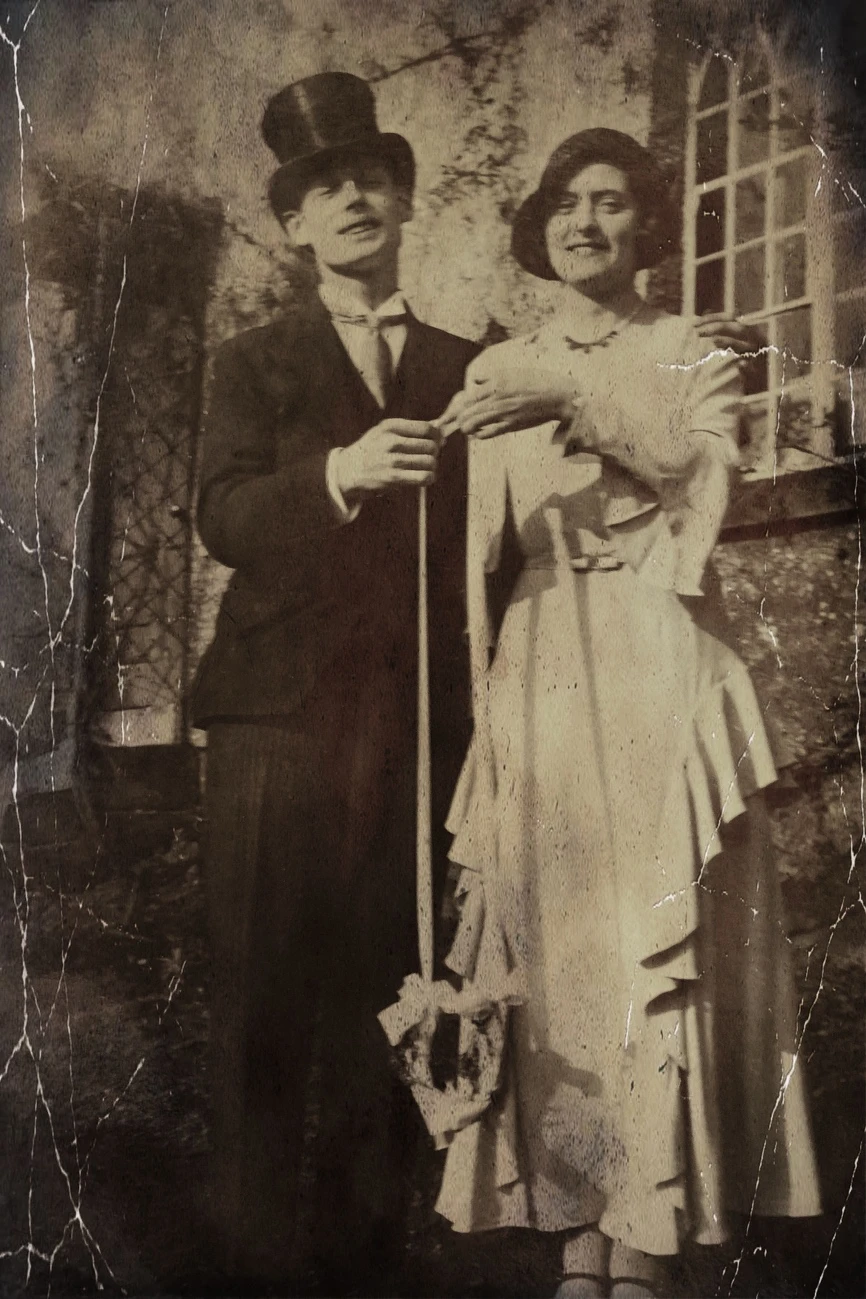
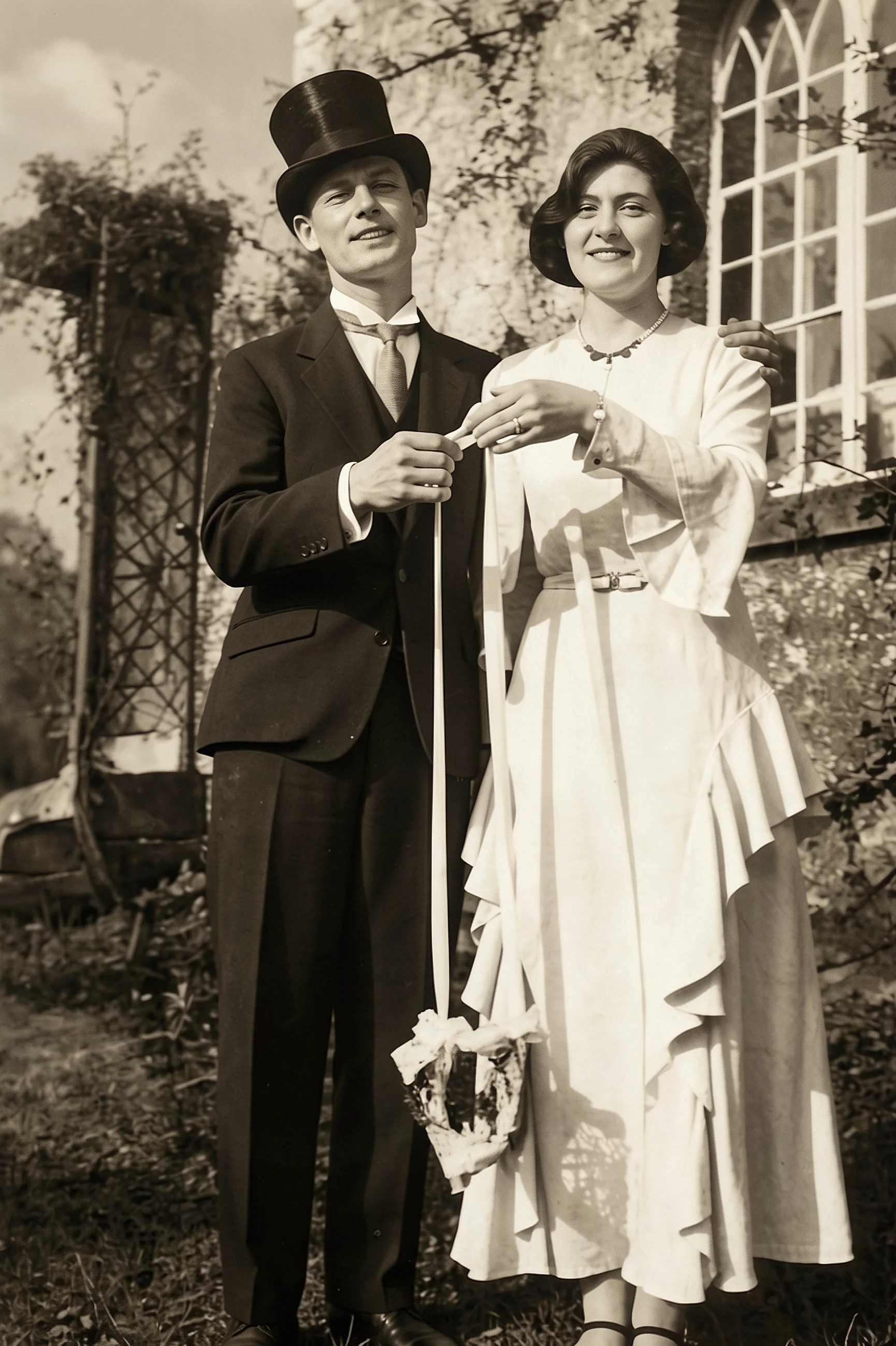
Free High-Quality Old Photo Restoration
Do you need to restore just one image – say, a family portrait, historical or vintage photo? Or perhaps you have a few photos to restore, but you’re okay with uploading them one by one? Then the free version of our old photo restoration tool should be more than enough for you!
Powered by the same AI algorithm as the paid version, the free version delivers the same image quality. It can get rid of blur, grain, and visual noise while making faded old photos sharper and improving their contrast.
Importantly, the app requires no sign-up, adds no watermarks, and has no limits on download formats.
Restore Multiple Old Photos at Once
Our old photo restoration tool allows you to upload multiple images and process them in the same style. To access this feature, you need a paid subscription or credits. You can upload photos of various formats and sizes in a single batch.
You can choose from two restoration modes: Restore or Restore & Colorize. The first mode restores photo details while maintaining a natural and authentic look. The second mode restores details and adds realistic color, creating a vibrant new version of your photo. The mode of your choice will be applied to the entire batch of images.
Use the bulk restoration feature if you need to fix up multiple old pictures in one go without manually editing each one. WowEnhance’s AI technology can save you time and effort while producing high-quality results.

How to Restore Old Photos in WowEnhance
Step 1. Go to WowEnhance.com > Tools > Restore Old Photos.
Step 2. Upload a photo you need to restore.
Choose the upload method that is most convenient for you:
- Drag and drop the file from your device
- Upload from cloud storage
- Add an image from a website
Formats available for processing: JPG, JPEG, PNG, WebP, HEIC, BMP, AVIF, and RAW.
There’s no file size limit. To upload multiple images at once, purchase the paid version of the app.
Step 3. Click Restore Old Photo.
Step 4. Choose the restoration mode – Restore or Colorize.
Step 5. Click Enhance Photo to start processing.
Step 6. Review the result.
By moving the slider left and right, you can compare specific parts of the photo in detail and see how much the image resolution has changed.
Step 7. Before downloading, click on More.
The More button is next to Download All.
Here you’ll find a tool for adding a watermark or logo to your restored photo. You can also upload the restored photo directly to Google Drive, Google Photos, or Dropbox.
Step 8. Click Download All if you are satisfied with the result and want to save it on your device.
To add another photo in the free version, click X to reset the settings and start over.
FAQ
How to restore old photos?
Old photos can be restored in several ways: with professional manual retouching, a full-fledged photo editor like Adobe Photoshop or Affinity Photo, or an AI old photo restoration tool. The main differences between these tools are price, control over the results, and the editing skills required.
For beginners and non-professional editors, an AI-powered tool is the fastest, easiest, and most accessible option. It automatically sharpens images, restores faces, and can even add color. Since AI tools often offer a free version, they are a good place to start. The results may be more than enough for your needs.
How to restore old photos using AI?
Try a free online tool from WowEnhance to restore old photos. Thanks to its AI technology, the restoration process is automated, requires no manual editing, and takes just a couple of minutes. The app offers a free version, works online right in your browser, and can be used without signing up. You can upload files in supported formats, regardless of their size or resolution.
Does the free version of your old photo restoration app have any limits?
The only limitation is the number of images available for upload. You can process 1 photo at a time and no more than 3 per day.
How long does it take to restore an old photo?
The restoration process usually takes just a few minutes.
Will the restoration process change or overwrite my original photo?
No, WowEnhance doesn’t overwrite the original photos. All changes are applied to copies, so your original images remain untouched. This allows you to try different restoration modes and choose the result that works best for you.
Will I be able to print my restored old photo?
Yes. You can print the restored photo as long as its resolution is sufficient for your desired print size. The image resolution is increased during processing, and restored images are saved at 300 DPI.